Manage List of SM Companies

The SM Affiliates module is used to maintain the official master list of SM companies. This list serves as the reference for identifying the specific SM company associated with a student's SM Affiliate Scholarship. It is part of the TMS and supports accurate and consistent scholarship assignment and management.
How to Access TMS
STEP 1. Open your web browser and go to: https://tms.national-u.edu.ph
STEP 2. You will be redirected to the TMS login page.
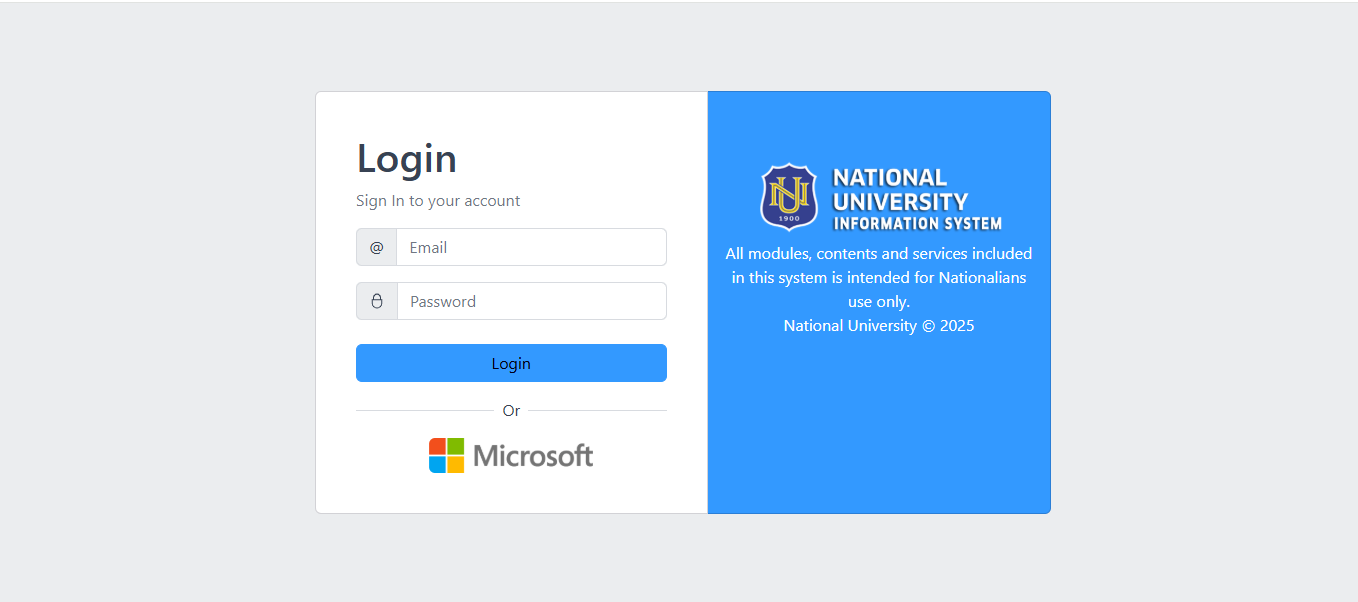
STEP 3. Log in using your email address and password, or sign in using the Microsoft login option.
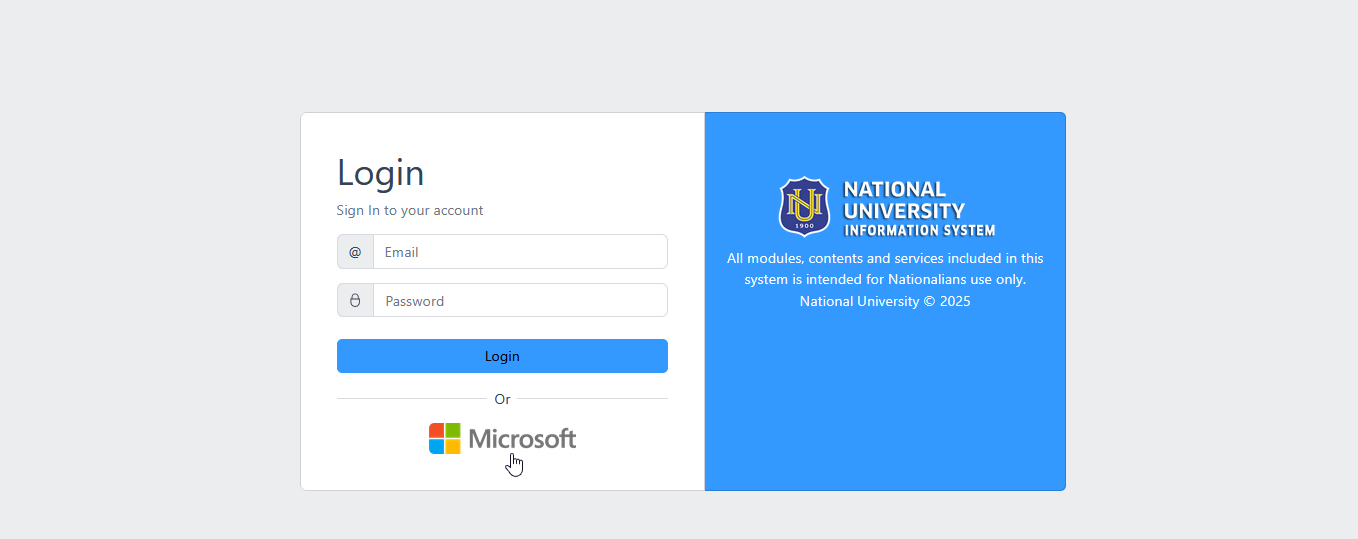
STEP 4. If using Microsoft login, enter your Microsoft credentials and complete the login process by verifying through Multi-Factor Authentication (MFA).
How to Add SM Company
STEP 1. Login in your TMS portal.
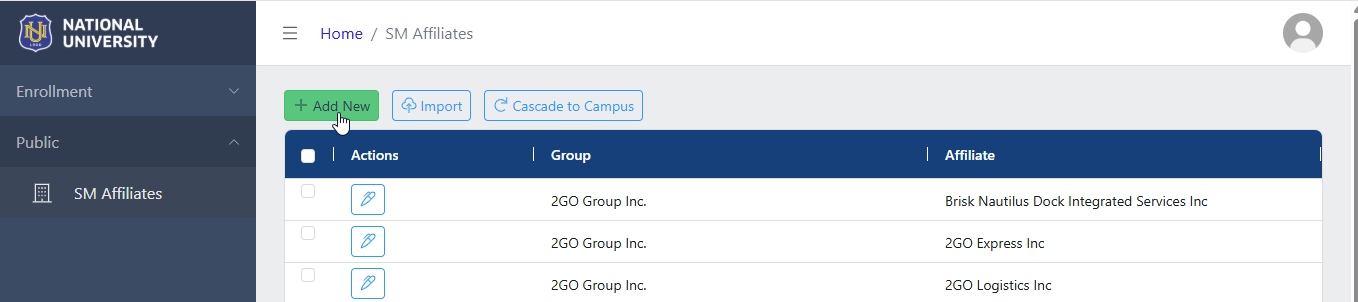
STEP 2. In your TMS portal, Go to Public menu and select SM Affilliates module.

STEP 3. In the SM Affiliates list view page, click on the button.
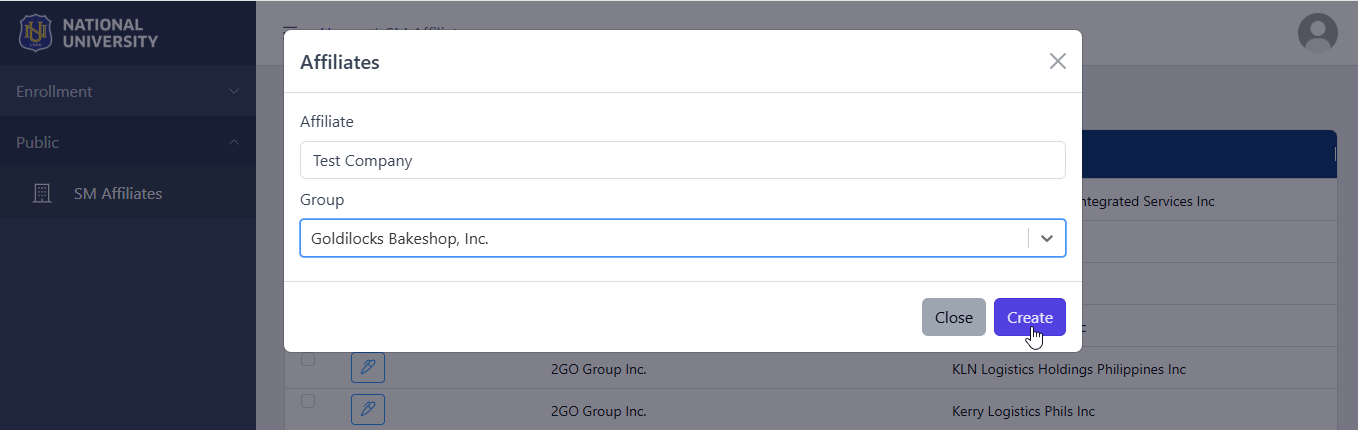
STEP 4. . Enter the affiliate's name in the Affiliates field that appears, then select the appropriate group from the Groups dropdown list.
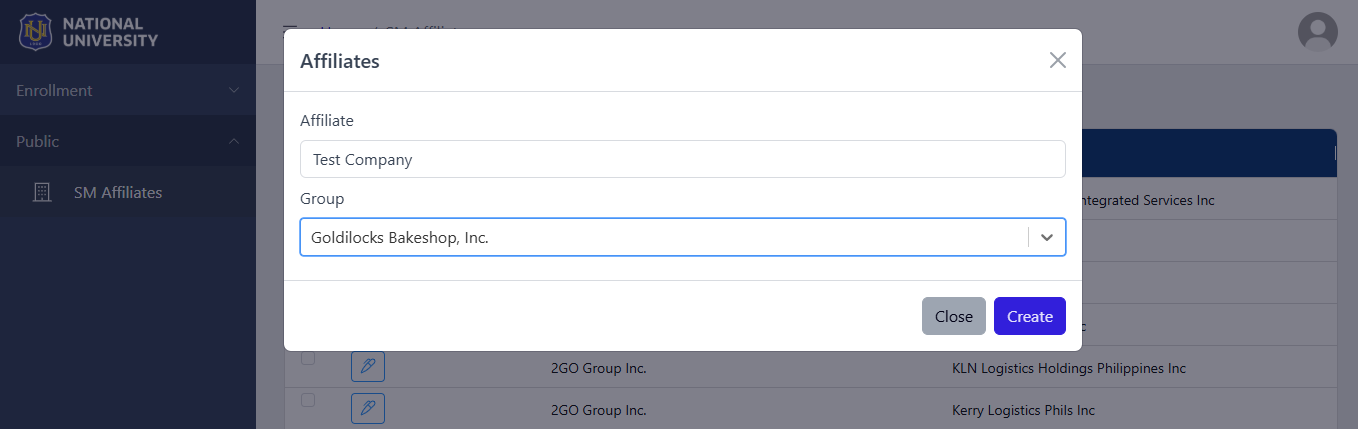
If the appropriate group is not available in the dropdown list, add it by encoding the SM Group name and click Create entry.
STEP 5. Click the button to save the affiliate.
How to Cascade the list of SM Companies to campus?
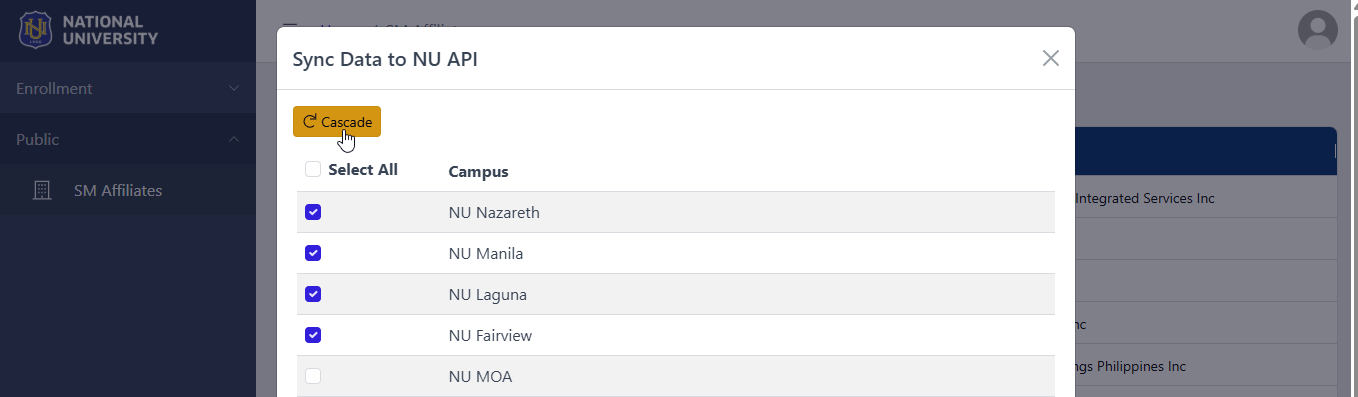
After adding or modifying entries in the SM Affiliates list, it is recommended to cascade the updates to ensure the latest data is sent into campus's NUIS.
STEP 1. To cascade the information, click the button corresponding to the record that has been modified.

STEP 2. In the prompt that appears, select the target campus or campuses by checking the appropriate boxes, then click the button to proceed.
How to Edit Affilliates
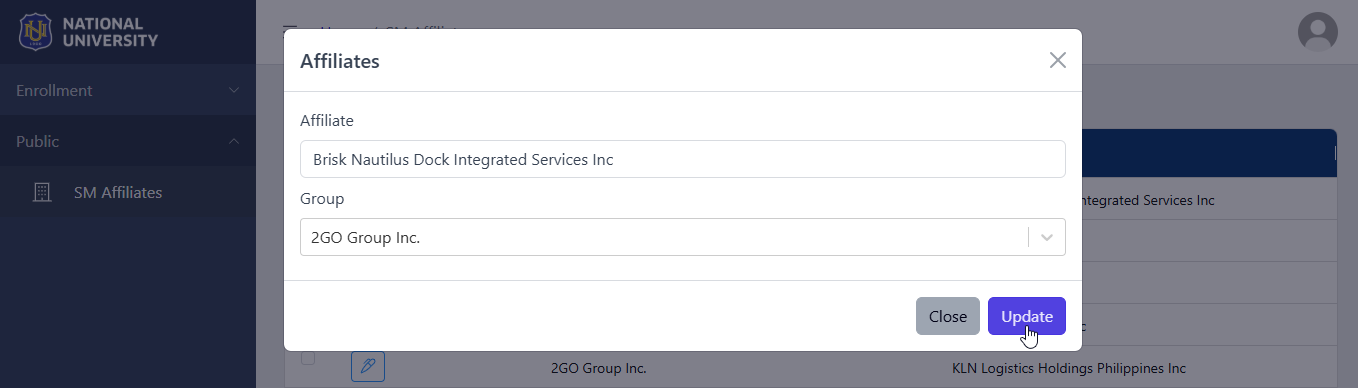
STEP 1. In the SM Affiliates module, click on the corresponding button of the record that needs to be modified.

STEP 2. Modify the record in the Affiliates prompt.
STEP 3. Click on the button to save changes.
Import File
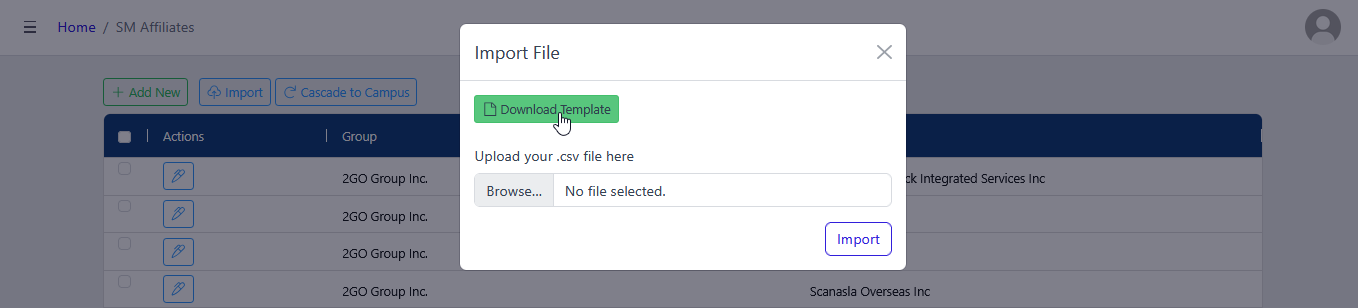
Users may also import a file through this module for faster encoding of multiple SM Affiliates. To do this, download the import template by clicking the button found in the Import File prompt.
Follow the instruction below on how to use this module feature.
STEP 1. In SM Affiliates module, click on the button.
STEP 2. Browse the file to be imported and click the button.
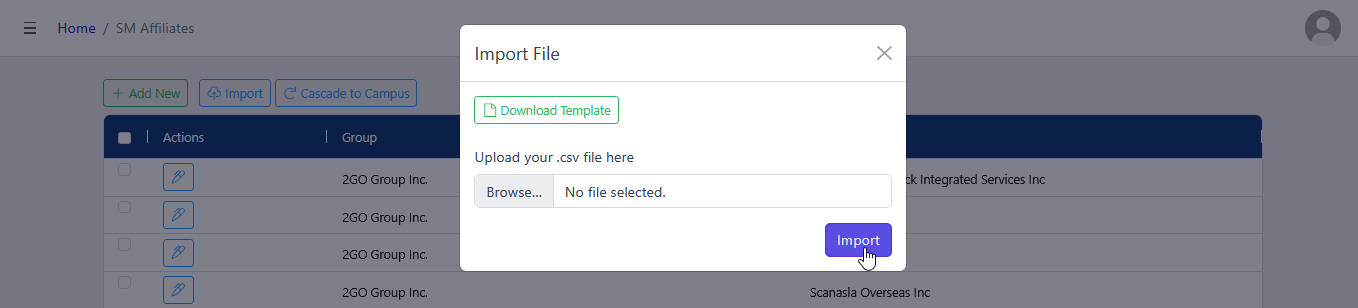
Make sure to import CSV file type only.
For more questions or concerns, email us at nu-desk@national-u.edu.ph